
Comparing Shopify vs WooCommerce for Coaches
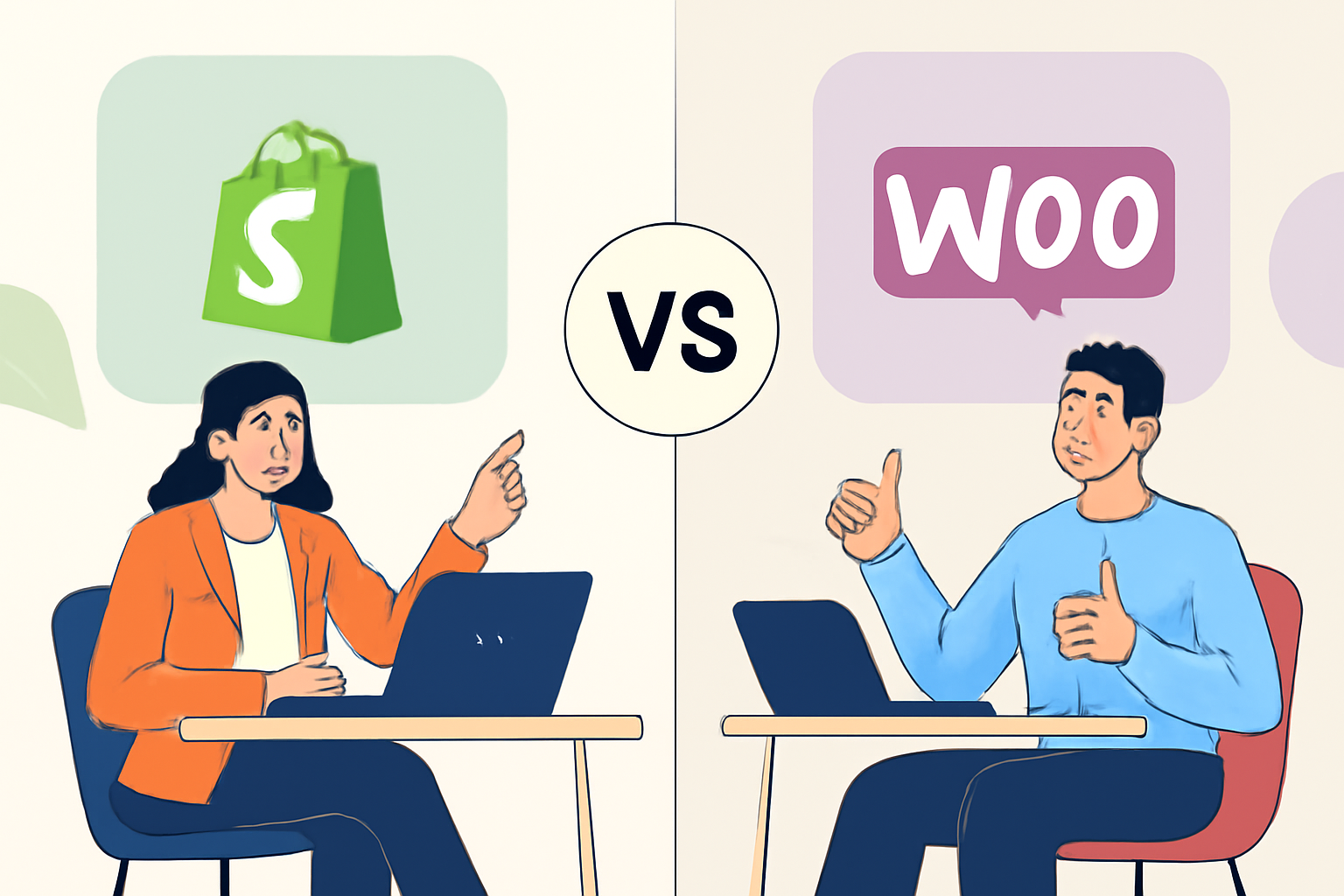
Choosing the right platform for your online store can feel like navigating a maze with no map. As a coach looking to sell products online, you need a solution that fits not just your business model, but also your specific needs. Two popular options that often come up in conversations are Shopify and WooCommerce. Each has its own unique strengths and weaknesses, making it essential to weigh your choices carefully. Check out Print On Demand Coach Membership.
This comparison will dive into the key differences between Shopify and WooCommerce, helping you to understand which platform aligns better with your coaching business goals. Whether you're interested in Shopify print on demand stores or exploring the flexibility of WooCommerce, we'll cover everything you need to know to make an informed decision.
Table of Contents

Overview of Shopify and WooCommerce
Before we break down the details, let's cover what each platform offers at a glance. Your Ultimate Guide to Shopify for Print On Demand Success.
Shopify
Shopify is a hosted ecommerce solution that enables users to create their own online stores without needing extensive technical knowledge. It's particularly known for its ease of use, making it an attractive option for coaches who want to focus more on their coaching practice than on technicalities. With Shopify, you can get started quickly, thanks to its user-friendly interface and a wide range of customizable templates. Here are some key features: boosting client loyalty.
- Ease of Use: Shopify's drag-and-drop interface allows even the most tech-challenged individuals to set up a store in no time.
- 24/7 Customer Support: Shopify offers round-the-clock support via chat, email, and phone, which is invaluable for those who may encounter issues.
- Integrated Payment Processing: Shopify Payments allows you to accept credit cards directly without needing a third-party payment gateway.
- Mobile Optimization: All Shopify themes are mobile-responsive, ensuring a seamless shopping experience for customers on any device.
- App Ecosystem: Shopify has a vast app store with plugins for email marketing, accounting, inventory management, and more, allowing you to expand your store's functionality easily.
However, there are some considerations to keep in mind:
- Monthly Fees: Shopify operates on a subscription model, which means you'll need to budget for monthly fees that can increase as you add more features.
- Transaction Fees: If you choose to use a payment gateway other than Shopify Payments, you may incur additional transaction fees.
For coaches looking to sell digital products, such as eBooks or online courses, Shopify makes it easy to set up and manage these offerings. You can quickly create product listings, manage your inventory, and even set up automated email marketing campaigns to keep your clients engaged.
WooCommerce
WooCommerce, on the other hand, is a WordPress plugin that turns a WordPress site into a fully functional ecommerce store. This option provides more flexibility and control over customization but requires a bit more technical know-how compared to Shopify. It's ideal for those who are comfortable with WordPress and want to leverage its extensive features. Here are some highlights:
- Customization: With WooCommerce, you have full control over your website's design and functionality. You can choose from thousands of themes and plugins to tailor your store to your specific needs.
- Extensive Features: WooCommerce supports a wide range of products, including physical goods, digital downloads, and subscriptions, making it versatile for coaches who offer various services.
- SEO Capabilities: Since WooCommerce runs on WordPress, you can take advantage of robust SEO features to optimize your store for search engines.
- Community Support: Being open-source, WooCommerce has a large community of developers and users who contribute to forums and provide support.
However, there are some challenges:
- Technical Skills Required: Setting up and maintaining a WooCommerce store may require some technical knowledge, particularly if you want to customize it beyond the basics.
- Hosting and Security: You will need to manage your own hosting and security, which can add to the complexity of running your store.
For coaches, WooCommerce allows for the integration of membership plugins, enabling you to create exclusive content for your clients. This can enhance the value of your coaching services by providing additional resources and community support.
In summary, both Shopify and WooCommerce have their strengths and weaknesses. The choice between them largely depends on your technical comfort level, budget, and specific needs as a coach. If you prefer a straightforward, all-in-one solution, Shopify might be the right fit. Conversely, if you want more control and customization options, WooCommerce could be more suitable. Consider your long-term goals and the type of products or services you plan to offer when making your decision.
Comparison Table
| Feature | Shopify | WooCommerce |
|---|---|---|
| Ease of Use | Very user-friendly, designed for beginners. Shopify offers a straightforward setup process with guided prompts that help you through each step. The dashboard is intuitive, making it easy to manage products, orders, and customer data without prior technical knowledge. | Requires familiarity with WordPress and some coding. While WooCommerce is built to integrate seamlessly with WordPress, users must understand the basics of WordPress management. This includes installing plugins, themes, and understanding how to navigate the WordPress dashboard. New users may find the learning curve steep, but there are plenty of tutorials available. |
| Cost | Monthly subscription fee; additional transaction fees. Shopify plans start from a basic plan to more advanced options, with costs ranging from $29 to $299 per month. Each plan includes hosting, but be aware of transaction fees if you don't use Shopify Payments. These fees can range from 2.9% + 30¢ per transaction to 0.5% depending on your plan. | Free plugin, but hosting and extensions add costs. WooCommerce itself is free, but you need to pay for hosting, which can vary widely based on the provider. Expect to pay anywhere from $5 to $30 per month for hosting. Additionally, premium themes and extensions can add to your costs, so budgeting for these is essential. For example, a good quality theme might cost $60, while certain plugins could be $100 or more. |
| Customization | Limited to available themes and apps. Shopify offers a selection of themes that can be customized to a degree, but you're generally limited to the functionality provided by those themes and the apps available in the Shopify App Store. This can be a drawback if you have specific design or functional requirements that aren't met by existing options. | Highly customizable with coding knowledge. WooCommerce allows for extensive customization, from changing the layout to adding custom functionalities through coding. If you have knowledge of PHP, CSS, or JavaScript, you can create a truly unique store. Additionally, the vast array of plugins available can help you add features that suit your specific needs. |
| Payment Gateway Support | Supports multiple gateways but has fees for some. Shopify supports a variety of payment gateways, including PayPal, Stripe, and Shopify Payments. However, using third-party gateways may incur additional fees, which can add up if you process a lot of transactions. It's essential to review these fees when choosing your payment processor. | Wide range of gateways, usually no additional fees. WooCommerce offers support for numerous payment gateways, often without additional transaction fees. You can choose from options like PayPal, Stripe, and Square, and many of these integrations are free. This flexibility can save you money and allow you to choose a gateway that best suits your business needs. |
| Maintenance | Shopify handles all maintenance. As a hosted solution, Shopify takes care of all software updates, security, and server management. This means you can focus on running your business without worrying about technical issues. However, it also means you have less control over your site compared to self-hosted solutions. | User is responsible for updates and security. With WooCommerce, you are in charge of maintaining your site, which includes regular updates to WordPress, WooCommerce, and any plugins you use. This can be a bit daunting for new users, but it allows for greater control over your site. Make sure to regularly back up your site and keep everything updated to avoid security vulnerabilities. |
| SEO Capabilities | Good, but limited compared to WooCommerce. Shopify provides basic SEO features such as customizable title tags, meta descriptions, and URL structures. However, it lacks more advanced options like full control over your site's code, which can limit your ability to optimize for search engines. For many users, this is sufficient, but those looking for advanced SEO strategies may find it lacking. | Excellent SEO options with WordPress. WooCommerce benefits from WordPress's robust SEO capabilities. You can use plugins like Yoast SEO to optimize every aspect of your site, from meta tags to sitemaps. The flexibility to edit your site's code and structure gives you a significant advantage in achieving higher search engine rankings. Additionally, content marketing strategies are easier to implement with a blog integrated into your WooCommerce site. |

Pros and Cons of Shopify
Pros
- Simple setup and user-friendly interface.
- Shopify is designed for users without a technical background, allowing you to set up your store in just a few clicks. This includes choosing a theme, adding products, and configuring payment options. The guided setup process makes it easy to launch your store quickly.
- Many users report being able to create a fully functional store within a matter of hours, which is a huge advantage for coaches looking to start selling quickly.
- Reliable customer support available 24/7.
- Shopify offers multiple support channels, including live chat, email, and phone support. This means that no matter when you encounter an issue, you have access to help.
- Additionally, the extensive knowledge base and community forums provide valuable resources for troubleshooting common problems and learning best practices.
- Built-in tools for managing inventory and sales.
- Shopify includes robust inventory management features that allow you to track stock levels, manage orders, and set up alerts for low inventory. This is particularly useful for coaches who may have various products or merchandise to manage.
- The sales dashboard provides real-time analytics, helping you monitor your store's performance and make informed decisions based on data.
Cons
- Monthly fees can add up, especially with additional apps.
- While Shopify offers a range of pricing plans, additional costs can arise from using third-party apps for expanded functionality, such as advanced marketing tools or premium themes. This can lead to unexpected expenses that impact your budget.
- For coaches just starting out, it's essential to carefully evaluate which apps are necessary and which can be avoided to keep costs manageable.
- Less flexibility in customization compared to WooCommerce.
- Shopify has a set structure that can limit how much you can customize your store's appearance and functionality. While there are many themes available, you might find it challenging to implement very specific design features without coding knowledge.
- This can be a drawback for coaches who want a unique brand identity that stands out from competitors. If customization is a top priority, consider whether Shopify's limitations may hinder your vision.
- Transaction fees with third-party payment processors.
- Shopify charges transaction fees for using payment gateways other than Shopify Payments. This can be a significant drawback if you prefer to use a processor like PayPal or Stripe, as these fees can eat into your profits.
- Coaches should factor in these fees when pricing their products and consider using Shopify Payments to avoid additional costs, though this may limit payment options for customers.
Pros and Cons of WooCommerce
Pros
- Full control over customization and functionality.
This means you can tailor your store to fit your brand perfectly. For instance, you can change the layout, add custom features, or even integrate unique payment gateways that are not available on other platforms. The flexibility of WooCommerce allows for extensive customization through themes and plugins, enabling you to create a truly unique shopping experience for your customers.
- No ongoing subscription fees; only pay for hosting and extensions.
Unlike many SaaS platforms that charge monthly fees, WooCommerce allows you to choose your hosting provider and only pay for what you need. This can lead to significant savings in the long run. For example, if you opt for a budget-friendly hosting plan, you can keep your costs low while still benefiting from the powerful features WooCommerce offers. Just remember to budget for necessary extensions that may enhance your store's functionality.
- Robust SEO features due to WordPress foundation.
WooCommerce benefits from WordPress's strong SEO capabilities, which can help your store rank better in search engine results. You can easily optimize your product pages with SEO plugins like Yoast SEO, allowing you to add meta descriptions, alt text for images, and more. Additionally, the ability to create blog content can drive organic traffic to your store, enhancing visibility and sales.
Cons
- Requires more technical knowledge for setup and maintenance.
While WooCommerce is user-friendly, it does have a steeper learning curve compared to hosted solutions like Shopify. Setting up your store may require familiarity with WordPress, web hosting, and basic coding. For instance, you might need to troubleshoot plugin conflicts or customize your theme's CSS. If you're not comfortable with these tasks, you may need to hire a developer, which can add to your costs.
- Potentially higher costs with premium themes and plugins.
While WooCommerce itself is free, many themes and plugins that enhance functionality are not. For example, a premium theme might cost anywhere from $50 to $100, and essential plugins for things like advanced SEO, security, or payment processing can add up. It's crucial to evaluate your needs and budget accordingly to avoid overspending on features you may not use.
- Can be overwhelming for beginners without WordPress experience.
New users might find the dashboard and settings intimidating. The multitude of options can lead to decision fatigue. To mitigate this, consider starting with a simple setup and gradually adding features as you become more comfortable. Online tutorials, forums, and communities can also provide valuable support. Additionally, investing time in learning the basics of WordPress will pay off in the long run, making it easier to manage your store effectively.
Which Option Fits You?
Deciding between Shopify and WooCommerce ultimately depends on your specific needs and skills as a coach. Let's break down some scenarios to help you determine which platform might be the best fit for you.
You're a Beginner with Limited Technical Skills
If you're just starting out and want a platform that won't require extensive technical know-how, Shopify is likely your best bet. Its user-friendly interface and robust support make it easy to get your Shopify print on demand store up and running quickly.
You Value Flexibility and Control
If you have some technical knowledge and want maximum control over your site's design and functionality, WooCommerce is the way to go. The ability to customize every aspect of your store can be a game-changer for your brand.
You Want to Minimize Ongoing Costs
If budget is a primary concern, WooCommerce might be more appealing due to its initial low cost (the plugin itself is free). However, remember that you will need to invest in hosting and possibly some premium plugins along the way.
You Need Strong SEO Capabilities
For coaches focused on organic traffic and building an online presence, WooCommerce offers superior SEO options through WordPress. This can be a significant advantage if you plan to drive traffic through content marketing.
Final Thoughts
Shopify and WooCommerce each offer unique advantages that cater to different needs and skill levels. If you're looking for a straightforward, all-in-one solution, Shopify is hard to beat. On the flip side, if you're comfortable with a bit of technical work and want the freedom to customize your ecommerce solutions, WooCommerce could be the better choice.
As you embark on your journey in the print on demand business or any other coaching endeavor, think about where you want to focus your energy. Whether you choose Shopify personalized products or decide to experiment with Etsy custom product listings, the right platform can help streamline your process and enhance your engagement metrics for Shopify.
Take the first step by assessing your specific needs and choosing the platform that aligns with your coaching goals. Your online store is just a decision away!
Assessing Your Needs
Before making a decision, it's crucial to evaluate your specific needs. Here are some practical steps to help you through this process:
- Determine Your Budget: Assess how much you're willing to invest in your online store. Shopify has monthly fees, while WooCommerce is free but may incur costs for hosting and plugins.
- Identify Your Technical Skills: Are you comfortable with coding and website management? If not, Shopify might be the better option for you.
- List Your Essential Features: Make a list of must-have features for your store, such as payment gateways, shipping options, and design flexibility.
- Consider Future Growth: Think about your long-term goals. If you plan to scale your business significantly, ensure the platform can accommodate that growth.
Common Mistakes to Avoid
When choosing between Shopify and WooCommerce, it's easy to make some common mistakes. Here are a few to watch out for:
- Overlooking Hidden Costs: With WooCommerce, while the plugin is free, many extensions and themes come with additional costs. Shopify has clear pricing, but transaction fees can add up without a subscription plan.
- Ignoring SEO Capabilities: Both platforms have SEO features, but they work differently. Ensure you understand how to optimize your store for search engines on your chosen platform.
- Neglecting Customer Support: Assess the level of customer support you might need. Shopify offers 24/7 support, while WooCommerce relies on community forums and documentation.
- Not Testing Before Committing: Take advantage of free trials or demo versions to test the platforms before making a final decision. This will give you a feel for the usability and features.
Final Decision-Making Checklist
To help solidify your choice, use this checklist before making your final decision:
- Have you defined your budget and considered all potential costs?
- Do you understand the technical requirements of both platforms?
- Have you listed your essential features and compared how each platform meets those needs?
- Have you considered the scalability of your chosen platform?
- Did you test both platforms to see which one feels more intuitive for you?
Choosing between Shopify and WooCommerce doesn't have to be daunting. By taking the time to assess your needs, avoiding common pitfalls, and following a structured decision-making process, you can confidently select the platform that best supports your coaching business and print on demand endeavors. Remember, your online store is just a decision away, and the right choice can set you on a path to success!
Enjoying This Article? Join The Free POD Community. Connect with other print-on-demand sellers, ask questions, and keep learning inside the Print On Demand Coach community.
Learn More